
Home Technology
Category:

Technology

Advertisement

Artificial intelligence has quietly woven itself into the fabric of Australian daily life, appearing in tools so ordinary that their intelligence is almost invisible. When you type a text message and see predictive words above the keyboard, when your photo app groups images of a family member, or when a streaming service suggests a series you might enjoy, you are engaging with machine-learning models running behind the scenes. This integration has accelerated dramatically as on-device processing becomes powerful enough to handle tasks that once required massive server farms. The shift means that AI-driven features increasingly respect privacy by keeping data on your phone rather than sending it to the cloud. Understanding the scope of these embedded tools helps you use them more effectively and critically, rather than blindly trusting or rejecting them.

Writing assistance is one of the most visible AI deployments. Modern email clients and word processors now offer sentence completion, tone adjustment, and summarisation. When composing a tricky message, you can prompt the assistant to rephrase harsh language into a more diplomatic tone, or to condense a long email into a few bullet points for a busy recipient. These features are not designed to replace thinking but to handle the mechanical aspects of drafting, freeing your attention for the substance of the communication. Students and professionals alike use them to check clarity and grammar, though it remains essential to review any generated text for accuracy and context. The technology occasionally “hallucinates” or produces plausible but incorrect information, so a human filter is indispensable. Used as a brainstorming partner and a polish tool, however, it can significantly reduce the friction of writing.

Creativity and visual content have also been transformed. Photo apps now go beyond simple filters, offering a “magic eraser” to remove photobombers or powerlines from a landscape shot with a single tap. Video stabilisation once required bulky equipment; now, AI algorithms analyse shaky footage and smooth it out in real time. Social media platforms embed generative tools that can expand a cropped photograph by imagining what might lie beyond the frame’s edges, filling in sky, grass, or architecture. Musicians and podcasters benefit from background noise removal that isolates a voice even with a barking dog in the room. These capabilities lower the technical barrier to producing quality content, allowing creativity to flow without being stalled by the need for advanced editing skills. The etiquette around disclosing AI-assisted creations is still evolving, but transparency generally strengthens trust with your audience.


Pages: 1 2

Advertisement

Modern smartphones pack more processing power than early space shuttles, yet many of us use them primarily for calls, messages, and scrolling through social media. Tapping into the productivity features already sitting in your pocket can reclaim hours and reduce mental clutter. Start with the fundamentals: notification management. Instead of allowing every app to buzz and ping at will, head to settings and aggressively prune. Allow notifications only from essential apps – messages from real people, calendar alerts, and ride-share updates – while relegating everything else to a scheduled summary that arrives once or twice a day. This single tweak can slash interruptions that fragment attention and create a background hum of stress. On both iOS and Android, Focus or Do Not Disturb modes can be automated for work hours, dinner, and sleep, filtering what gets through to a pre-set list of people and urgent notifications.

The home screen itself can be a tool or a trap. A screen crowded with colourful app icons invites mindless tapping. Embrace widgets that show bite-sized, actionable information – your calendar for the day, a to-do list, weather, and a note-taking quick capture – without opening an app. On iPhones, the combination of stacks and the App Library automatically tucks lesser-used apps away, while Android’s app drawer combined with a minimalist desktop achieves the same. Place only frequently used productivity tools on the main screen: a task manager like Todoist or Microsoft To Do, your email client, a note app, and perhaps a habit tracker. Move entertainment apps to a secondary page or folder, introducing a tiny friction that encourages more deliberate engagement. This spatial organisation sends a subtle message to your brain about the device’s intended purpose.

Voice assistants have grown remarkably capable and can act as hands-free personal secretaries. While cooking, driving, or walking the dog, you can dictate a reminder — “Hey Google, remind me to pay the electricity bill at 8pm” — or add an item to a shared shopping list. Modern assistant routines chain multiple actions; a “Driving” routine could read out your calendar, message your partner your ETA, and start a playlist, all triggered by connecting to the car’s Bluetooth. Dictation accuracy has improved so much that many professionals now draft emails or documents by voice and then polish the text, saving significant typing time. This shift from tapping to speaking keeps your eyes up and your hands free, reducing posture strain and creating micro-pockets of efficiency.

Pages: 1 2

Advertisement

Cloud storage has quietly become an essential utility, much like electricity, underpinning how Australians manage photos, documents, and backups. At its simplest, cloud storage means your files reside on remote servers operated by a provider such as Google, Apple, Microsoft, or Dropbox, accessible from any device with an internet connection. This model severs the tether to a single computer or a fragile USB drive, offering a seamless way to start a document on a laptop, make edits on a tablet, and present it from a phone. For people who have experienced the despair of a hard drive failure or a lost device, the automatic synchronisation of cloud services provides genuine peace of mind. The first step is selecting an ecosystem that fits your devices and habits, evaluating storage caps, pricing, and how easily it shares files with family or colleagues.

Organisation is the keystone of an effective cloud-storage strategy. Without a logical folder structure, the “save-as-you-go” convenience quickly becomes a digital haystack that buries important files. Set up a top-level hierarchy with broad categories like “Personal,” “Work,” “Finance,” and “Photos,” then use subfolders by year or project. Consistent file naming saves time later; a format such as “2026-04-15_TaxReturn.pdf” lets you sort by name and instantly locate a document. Many services allow you to star or colour-code frequently accessed items. Investing an afternoon in building this structure and migrating scattered files from old hard drives and email attachments pays ongoing dividends. From that point, maintain the discipline of saving files to the correct folder at creation, which quickly becomes muscle memory.

Collaboration features transform cloud storage from a passive vault into an active productivity tool. Real-time co-authoring in Google Docs or Microsoft 365 means a family budget spreadsheet can be updated simultaneously by two partners without version-conflict nightmares. Sharing a folder with a team planning a community event eliminates long email chains with attachments. You can set permissions to view-only, comment, or edit, and many platforms let you add expiry dates to shared links for sensitive documents. This controlled sharing is invaluable for sending a tax agent a secure link to financial records rather than emailing files directly, which is a far less secure method. The ability to comment and suggest changes streamlines feedback, turning a solitary task into a collaborative dialogue.

Pages: 1 2

Advertisement

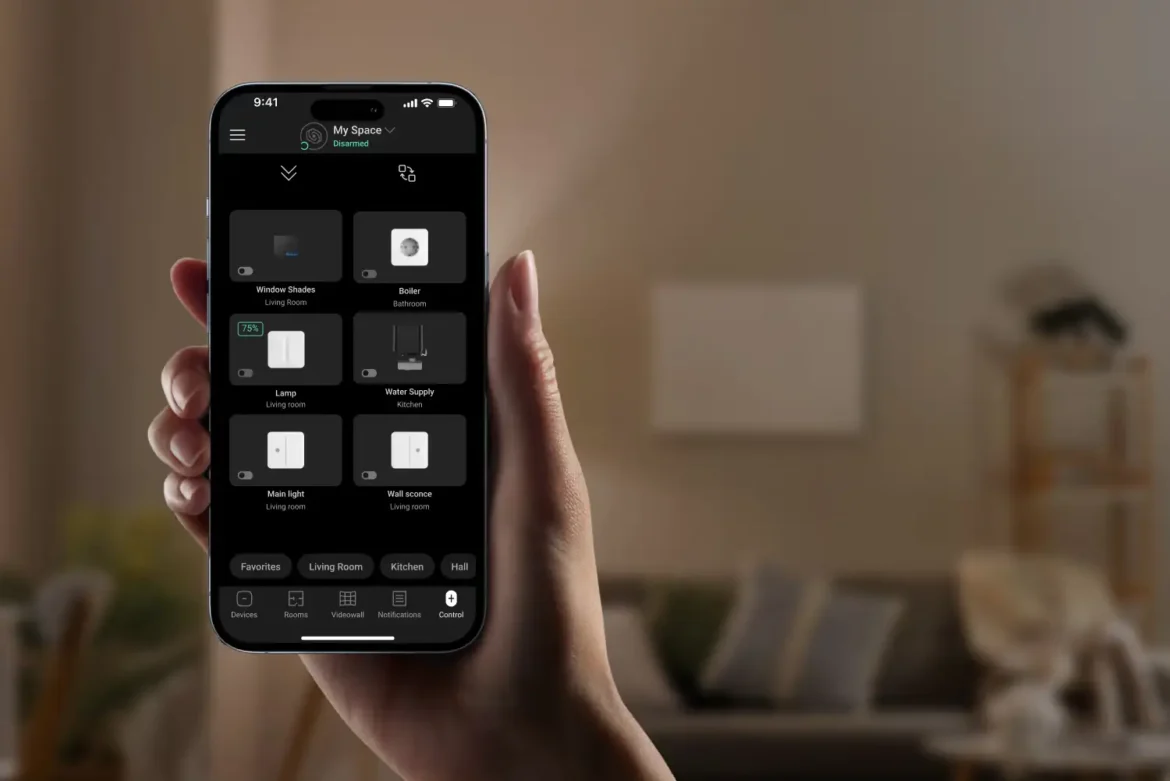
Home automation, once the preserve of luxury properties, now fits comfortably into Australian homes of all sizes, promising convenience, energy savings, and even enhanced security. At its heart, a smart home uses internet-connected devices that communicate with a central hub or your phone, allowing you to control lighting, climate, locks, cameras, and appliances remotely or via automated schedules. Before diving in, it helps to clarify your goals. Are you most interested in reducing electricity bills, simplifying daily routines, or monitoring an elderly relative? A clear purpose prevents the pile-up of gadgetry that ends up gathering dust. Start with one room or one function – perhaps a few smart lights in the living area – and expand only when the first instalment has genuinely improved your quality of life.

The choice of ecosystem shapes the long-term experience. The three major platforms are Amazon Alexa, Google Home, and Apple HomeKit, each with its own voice assistant and compatible device list. Many Australians choose the ecosystem that matches their existing phone or speaker, because integration tends to be smoother. Within that environment, a hub device – a smart speaker or display – acts as the conductor, receiving voice commands and triggering routines. A morning routine might gradually brighten bedroom lights, start the coffee machine, and read out the day’s weather and calendar. When selecting products, look for the “Works with Alexa,” “Works with Google,” or “HomeKit compatible” badge to avoid frustration. Some advanced users opt for an open-source platform like Home Assistant, which offers granular control but requires more technical comfort.

Lighting is the most popular entry point for good reason. Smart bulbs can shift from warm to cool white and dim on command, allowing you to set an evening relaxation scene with amber tones that support your natural sleep cycle. Motion sensors in hallways and bathrooms can turn lights on and off automatically, reducing electricity waste and eliminating fumbling for switches at night. Connected plugs turn standard lamps or fans into smart devices for a minimal outlay. Scheduling outdoor lights to come on at sunset and off at sunrise both deters intruders and mimics occupancy when you are away. These conveniences quickly become normalised, but the real delight often arrives when you adjust the lights from your phone after getting comfortable in bed, or link them to a movie-watching scene that dims the room with a single voice command.

Pages: 1 2

Advertisement

Personal data fuels the modern digital economy, yet many Australians remain unaware of how much information they leak through everyday online activities. Cyber threats range from large-scale data breaches at corporations to targeted phishing attacks that arrive as a seemingly genuine email from a bank or a delivery service. The first layer of defence is understanding what data you are sharing and with whom. Review the privacy settings on social media accounts and restrict the visibility of your birth date, phone number, and address to friends only, or better, to nobody. Regularly audit the apps on your phone, deleting any you no longer use and checking the permissions of those that remain. A torch app has no legitimate need to access your contacts or location, yet many quietly collect and sell such data. Treating personal information as a valuable asset shifts your behaviour from a passive acceptance of terms to an active gatekeeping role.

Passwords remain the gatekeeper to your digital life, yet “123456” and “password” still feature in breach lists. A password manager offers a practical solution, generating and storing complex, unique passwords for every service so you only need to remember one strong master phrase. Choose a master password that is a long, memorable sentence with a few numbers and symbols, something like “Galahs+squabble+in+the+gumtrees!7”. Enable two-factor authentication (2FA) wherever possible, preferably using an authenticator app rather than SMS, because SIM-swapping attacks can intercept text messages. With 2FA active, even if a criminal obtains your password, they cannot access your account without the second factor, which dramatically raises the bar. Revisit your critical accounts – email, banking, superannuation, and government portals like myGov – and ensure they are locked with the strongest available authentication.

Phishing attacks have grown remarkably sophisticated, often mimicking the branding and tone of trusted Australian organisations. They frequently create a sense of urgency: a package awaiting delivery, a tax refund needing immediate action, or a fine that must be paid instantly. A simple rule can protect you: never click on a link in an unsolicited message. Instead, open a browser yourself and manually type the official web address, or call the organisation using a number you already trust, not one provided in the suspicious communication. Hover your mouse over any link to see the true destination URL. Train your household, particularly older relatives who may be less familiar with digital traps, to apply this pause-and-verify approach. Scammers rely on hurried, emotional decisions; a moment of doubt is often enough to avert disaster.

Pages: 1 2

Advertisement

Contact information

Vivid Structure Pty Ltd

14 Moascar St, Pascoe Vale South VIC 3044, Australia

+61424506251

info@vivid-structure.com

Disclaimer

The information provided on this website is for general informational and educational purposes only. All content is published in good faith and is intended to offer a broad understanding of various topics. However, no representation or warranty of any kind, express or implied, is made regarding the accuracy, adequacy, validity, reliability, availability, or completeness of any information on this website.

All rights reserved © 2026